You know the feeling. You’re on round five of editing one image, the subject’s face has started to warp, the logo edges have gone mushy, and somewhere in the background a hand has appeared out of nowhere. All you wanted was to “delete that cup on the left.” The model went ahead and repainted the entire thing.
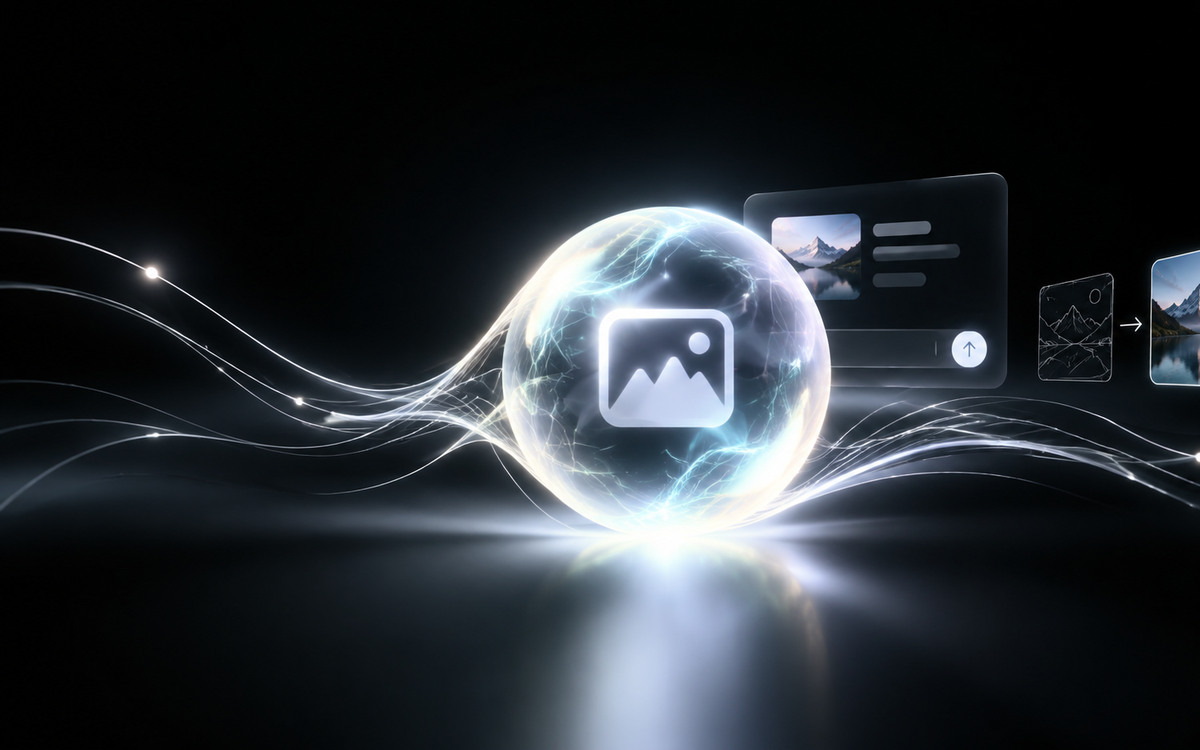
That’s been the grind for AI image users for a solid year. On September 9, 2026, OpenAI released ChatGPT Images 2.5, and it goes straight at this pain point — not by piling on parameters, but by turning “just change this part” into something you can click, circle, and annotate.
Halved Latency: What You Save Is Waiting, What You Gain Is Willingness to Try Again
Start with the most concrete number: image generation latency drops by up to 50%.
That figure reads as unremarkable, but in practice the difference is big. Generating images is fundamentally a game of probability — you run the same prompt four times and pick the one that works. If each run takes 40 seconds, you get annoyed after two tries and settle for something mediocre. If each run takes 20 seconds, you’ll happily try two more rounds, and what you hand over is a completely different quality of work.
What lower latency really changes isn’t speed — it’s how many times you’re willing to try.
Detail sharpness, natural lighting, and texture richness also improved. The previous generation, Images 2, shipped this April, so five months between releases isn’t fast. But the direction is clear: not chasing “flashier,” chasing “more usable.”
@Sketch: Routing Around the Things You Can’t Describe
Some things you just can’t put into words. “That vintage enamel mug’s handle curvature” — writing 200 words of prompt is worse than drawing three strokes.
Images 2.5 adds the @Sketch command: sketch directly in the conversation, pair it with a text description, and the model turns it into a finished, detailed image. This knocks down half the barrier of “language description” — you don’t need to know how to draw, you just need to draw a rough shape.
Two other small changes are genuinely useful:
- Built-in templates: common formats like posters and product shots are ready to use, no writing prompts from scratch every time
- One-click original prompt attachment when sharing: saves the “how did you make this” back-and-forth in team collaboration
Templates matter most for e-commerce and marketing people. Making a product hero image used to mean half an hour of prompt tuning alone; now at least you start from a higher floor.
In-Image Annotation: The Most Practical Feature This Round
If I could only pick one feature to talk about, it’s this one.
You can add annotations at specific spots on an image, then give instructions — things like “delete this area,” “change this to blue.” The model only touches what you circled, and everything else stays put.
The key part is the second half: it maintains image consistency across multi-round edits, easing detail degradation.
That’s the real watershed. In the past, every edit meant the model “re-understood” the whole image from scratch, and by round three it was basically ruined. Now it’s a local operation — repainting has become retouching.
My own read: this feature moves AI image generation from “one-shot generation” to “sustainable editing.” The former is a toy. The latter is a workflow.
Flare or Sunburst: Pick Wrong and You’ve Wasted the Wait
On the API side, OpenAI gives you two models with very different positioning. Don’t pick wrong.
| Model | Positioning | Best For | Speed |
|---|---|---|---|
| GPT-Image-2.5 Flare | Standard API image generation | Creator content, social media, product experiences, visual search, rapid prototyping, high-volume generation | Faster |
| GPT-Image-2.5 Sunburst | Complex workflows with high editing control | Finished-grade marketing assets, retouched product shots | Relatively slower |
One-line selection: want volume, speed, iteration → Flare; want precision, control, delivery → Sunburst.
The easiest trap is running Sunburst for batch generation, or Flare for a hero visual that needs repeated retouching. The first wastes your wait; the second wastes your edits.
On resolution, the API supports multiple specs, with the longest side capped at 3840 pixels and total pixel count between 655,360 and 8,294,400. That’s plenty for e-commerce hero images and social assets. Don’t count on it for oversized print-grade output.
Compliance: C2PA + Invisible Watermark, Think It Through Before Commercial Use
Images 2.5 carries forward the safety checks — both prompts and generated images get screened. At the same time, all outputs embed C2PA metadata and an invisible watermark.
For ordinary users this changes nothing, but for commercial scenarios it cuts two ways:
- The upside: you can prove an image is AI-generated, giving you a trail if it’s misused or forged
- The catch: the watermark lives inside the file, so before delivering to a client, confirm they accept AI-generated assets — don’t wait until acceptance to explain
This isn’t a technical problem, it’s a process problem. Write the asset source into the contract or delivery notes upfront — far less hassle than cleaning up afterward.
FAQ
Q: Is Images 2.5 available to regular ChatGPT users?
The report doesn’t specify rollout scope or pacing. Check official channels.
Q: 50% lower latency — relative to what baseline?
Relative to the previous Images 2. OpenAI didn’t publish specific millisecond figures, only the “up to 50%” ceiling.
Q: Does @Sketch cost extra?
The report doesn’t mention pricing. No speculation.
Q: Can in-image annotation change text?
The examples given are region and color instructions like “delete this area” and “change this to blue.” Text-editing capability isn’t explicitly stated.
The Bottom Line
Images 2.5 comes down to three things: faster (latency halved), easier to describe (@Sketch), easier to edit (in-image annotation). The first two are efficiency. The third is the one that actually solves “change one spot, break the whole image.”
If your work is batch generation, Flare is worth trying. If it’s a hero visual that needs repeated retouching, Sunburst’s slowness is worth it.
What’s the worst AI image-editing disaster you’ve had? Which round did it fall apart on? Tell me in the comments — I want to see if anyone had it worse than me.