Auto and manual Amazon ads are not an either/or choice—they are sequential tools for different stages of a product’s lifecycle. Your choice depends on three variables: how much product data you have, your advertising goal (visibility/conversions/profit), and your budget size.
Many sellers agonize over “auto or manual,” but this oversimplifies the decision into a single-choice question. In reality, Amazon’s advertising system designed these two campaign types for different phases: auto campaigns “explore the path,” and manual campaigns “harvest the results.” Once you understand this, you stop asking “which is better” and start asking “which should I use right now.”
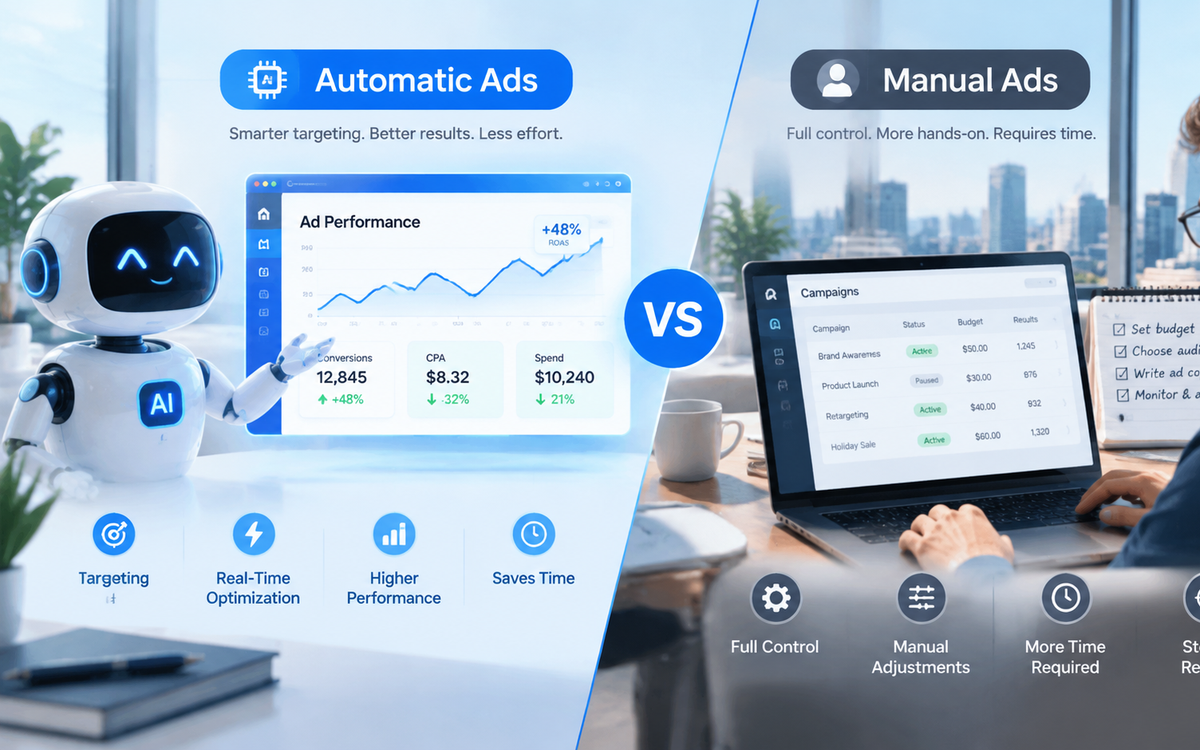
1. Auto vs Manual Ads: Core Mechanism Comparison
Before discussing “how to choose,” let’s clarify “what they are.” The two ad types differ fundamentally in control, data feedback, and use cases.
| Dimension | Auto Campaign | Manual Campaign |
|---|---|---|
| Keyword Control | Amazon system auto-matches | Seller selects keywords |
| Match Types | Close match, loose match, substitutes, complements | Broad, phrase, exact |
| Data Feedback | Search term report (discover new keywords) | Keyword performance report (validate keyword effectiveness) |
| Ease of Setup | Low (set budget and bid only) | High (requires keyword research and ongoing optimization) |
| Traffic Precision | Medium-low (may match irrelevant terms) | High (strong control) |
| ACOS Control | Harder (requires negative keywords) | Easier (precise adjustments) |
| Core Purpose | Discover keywords, expand reach, find competitor traffic | Precise conversions, brand defense, ACOS optimization |
Key insight: “Auto” does not mean “hands-off.” It saves you from keyword selection but adds negative keyword management work. “Manual” does not mean “inefficient.” It requires upfront data, but once optimized, ROI is more predictable.
2. Recommendations for Five Scenarios
Different product stages, budgets, and competitive environments call for different ad strategies. These five scenarios cover most sellers’ real situations.
Scenario 1: New Product Launch (Weeks 0–4) → Auto-First
New products have no historical data—you don’t know which search terms customers use to find your product. Running manual ads now is like “blind bidding”—your chosen keywords may have no search volume or poor relevance.
Recommended actions:
– Launch auto campaign, bid at 80–90% of suggested bid
– Enable all four match types for full system exploration
– Review the search term report daily, log potential high-converting terms
– Budget split: 70–80% auto / 20–30% manual
During the launch phase, auto campaign ACOS may reach 30–50%. This is the “cost of buying data,” not a loss. As long as conversion rates stay healthy (10–15%), keep investing.
Scenario 2: Growth Phase (Weeks 4–12) → Manual Takes Over
After 2–4 weeks of auto campaign data, the search term report will reveal high-converting keywords. This is the optimal time to shift to manual campaigns.
Recommended actions:
– Move keywords with ACOS below your target into manual exact match
– Keep auto running but reduce bids by 10–20% for discovery only
– Gradually increase manual budget to 60%
– Analyze search term reports weekly, repeating the “discover → transfer” cycle
Scenario 3: Maturity Phase (Week 12+) → Manual-First
Your product now has a stable keyword library and conversion data. Manual campaigns become the workhorse; auto campaigns take a back seat.
Recommended actions:
– Increase manual budget share to 80%
– Keep auto at low bids solely for discovering new long-tail keywords
– Optimize match types: exact match primary, phrase match secondary
– Regularly prune non-converting keywords to reduce waste
Scenario 4: Low Budget Sellers (Monthly Budget < $500) → Start with Auto
With limited budget, manual ads carry high trial-and-error costs—one wrong keyword could burn a week’s budget. Auto campaigns let the system filter keywords for you. Less precise, but at least not completely off-target.
Recommended actions:
– Run only one auto campaign with $10–15 daily budget
– Conservative bidding: start at 70% of suggested bid
– Analyze search term report weekly, keep only converting terms
– Launch manual campaigns only after budget increases
Scenario 5: Highly Competitive Categories (e.g., Electronics, Beauty) → Dual-Track
In high-competition categories, keyword bids are expensive and traffic is fragmented. Auto-only risks ACOS spiraling out of control; manual-only may miss substantial long-tail traffic.
Recommended actions:
– Auto campaigns target long-tail terms and related traffic (substitutes, complements)
– Manual exact match targets core high-volume keywords
– Transfer well-performing auto keywords to manual within 24 hours
– Increase negative keyword management frequency to twice weekly
3. Combination Strategies: Three Models Compared
Beyond “which one,” the more practical question is “how to combine.” These three models cover different stages of campaign needs.
| Combination Model | Auto/Manual Ratio | Best For | Core Goal | Risk |
|---|---|---|---|---|
| Auto-Dominant | 80% / 20% | New products, low budget | Data accumulation, keyword discovery | Higher ACOS |
| Balanced | 50% / 50% | Growth phase | Validate keywords, scale gradually | Scattered budget |
| Manual-Dominant | 20% / 80% | Mature products, high competition | ACOS control, precise conversions | Traffic ceiling |
Selection logic: The less data you have, the higher your auto share. The more data you have, the higher your manual share. This isn’t an arbitrary ratio—it adjusts dynamically based on the number of validated keywords in your search term report.
4. How to Know If Your Current Setup Is Working
Many sellers don’t know when to switch strategies—they keep increasing budget on exhausted auto campaigns or stubbornly stick with manual campaigns that get no impressions. These four metrics will guide your decisions.
| Metric | Healthy Signal | Danger Signal | Action |
|---|---|---|---|
| ACOS | New: <50%, Mature: <20% | Consistently above break-even | Lower bids / add negatives |
| CTR | >0.4% | <0.2% | Check listing main image / title relevance |
| CVR | 10–15% | <5% | Check price / review count / detail page |
| Search Term Report | New keywords weekly | No new terms for 2 weeks | Increase auto bids / change match types |
Industry reference values vary significantly by category. Precise judgment requires calculating your product’s break-even ACOS (= profit margin).
Switch signal: When the same keyword shows ACOS below target for 2 consecutive weeks in your auto search term report, move it to manual exact match. When manual exact match keywords consistently hit ACOS targets, gradually expand to phrase match for scaling.
5. How AI Agents Assist Ad Selection and Optimization
Data-intensive work is AI’s strength. Amazon ad optimization is a textbook data-intensive scenario—search term report analysis, negative keyword filtering, bid adjustment recommendations. These repetitive tasks are increasingly being automated by AI agents.
What AI Can Do for You
| Task | Traditional Time | AI-Assisted Time | Value |
|---|---|---|---|
| Search term report analysis (weekly) | 2–3 hours | 10–15 minutes | 10x+ efficiency gain |
| Negative keyword filtering | 1–2 hours | Auto-recommended | Reduced wasted spend |
| Bid adjustment suggestions | Manual data comparison | Real-time monitoring + alerts | Faster response |
| Keyword grouping and transfer | Manual organization | Auto-categorization | Fewer human errors |
Real-World AI Agent Applications
Use Case A: Auto-to-Manual Keyword Transfer
AI agents can automate the full workflow: read search term report → filter keywords below ACOS threshold → group by match type → generate manual campaign keyword list → push for human approval. This compresses a “3-hour weekly manual task” into “10 minutes of review and confirmation.”
Use Case B: Real-Time Negative Keyword Management
The biggest waste in auto campaigns comes from irrelevant search terms. AI agents can monitor search term reports in real time, automatically identify high-spend zero-conversion terms, and generate negative keyword suggestions. Humans only need one-click confirmation, preventing weekly accumulation of wasted spend.
Use Case C: Unified Cross-Account Ad Strategy
For multi-account operations, AI agents can analyze ad data across all accounts, identify which products suit auto-dominant vs manual-dominant strategies, and output strategic recommendations. This elevates decision-makers from “reading reports” to “setting strategy.”
To be clear: AI agents are decision-support tools, not autopilot systems. Final keyword selection, budget allocation, and bid adjustments still require human confirmation. AI’s value lies in automating data organization and initial filtering, freeing humans to focus on strategic judgment.
6. FAQ
Q1: Should I run auto or manual ads for a new product?
A: Focus on auto campaigns (70–80% of budget). New products lack keyword data, making manual ads a blind bet. Auto campaigns let the system explore search terms for you. Once data accumulates, transfer winning keywords to manual.
Q2: What if my auto campaign ACOS is too high?
A: Three steps: ① Review the search term report and add negative keywords to block irrelevant traffic; ② Lower bids by 10–20% to reduce wasted impressions; ③ If ACOS remains above break-even, shift budget to validated keywords in manual campaigns.
Q3: Can I run auto and manual ads simultaneously?
A: Yes—and it’s recommended. Amazon allows the same ASIN to run both campaign types. Industry practice: auto handles discovery and long-tail traffic; manual handles precise conversions and core keyword rankings.
Q4: How do I use keywords discovered in auto campaigns?
A: Download the search term report weekly, filter keywords with ACOS below target, and add them to manual exact match. Add these same terms as negative exact matches in the auto campaign to avoid duplicate bidding.
Q5: How should I split budget between auto and manual?
A: Industry benchmarks: new products 70–80% auto / 20–30% manual; growth phase 50/50; mature products 20% auto / 80% manual. Core logic: the more data you have, the higher your manual share.
Q6: When should I switch from auto to manual?
A: When keywords in your auto search term report show consistent conversions (ACOS at target for 2 consecutive weeks), transfer them to manual. This typically starts 4–6 weeks after product launch.
Q7: Can AI tools fully replace human Amazon ad management?
A: No. AI agents can automate data analysis and initial filtering, but keyword strategy, budget decisions, and competitive responses still require human judgment. AI’s value is freeing you from data processing so you can focus on strategic decisions.
7. Conclusion
Auto and manual ads are not rivals—they are a relay race. Auto explores the unknown; manual harvests the known. The core variable in your choice is data accumulation: less data means more reliance on auto; more data means shifting toward manual.
Final recommendations by seller type:
| Seller Type | Recommended Strategy |
|---|---|
| New product sellers | Auto-first; analyze search term reports weekly; launch manual after 4 weeks of data |
| Growth-stage sellers | Dual-track; auto discovers + manual converts; weekly keyword transfers |
| Mature sellers | Manual-first; auto only for discovery; focus on ACOS optimization |
| Multi-account enterprises | Deploy AI agents for unified management; automate data analysis and keyword transfer |
Ad placement is not a one-time decision—it’s a continuous iteration process. Spending 30 minutes weekly on search term report analysis is more valuable than agonizing over “auto or manual.” When your data accumulates to a certain level, the answer reveals itself.
Data labeled as “industry reference values” or “benchmarks” in this article is not official Amazon data. Actual performance varies by category, competitive environment, and listing quality.